
What Is a Windows Preview Update? Should You Install It?
A Windows Preview Update is an optional early-release update that delivers upcoming fixes and improvements before the next monthly patch. Here’s what it means, whether you should install it, and how it affects your device.
Luke Potts
7/11/20262 min read
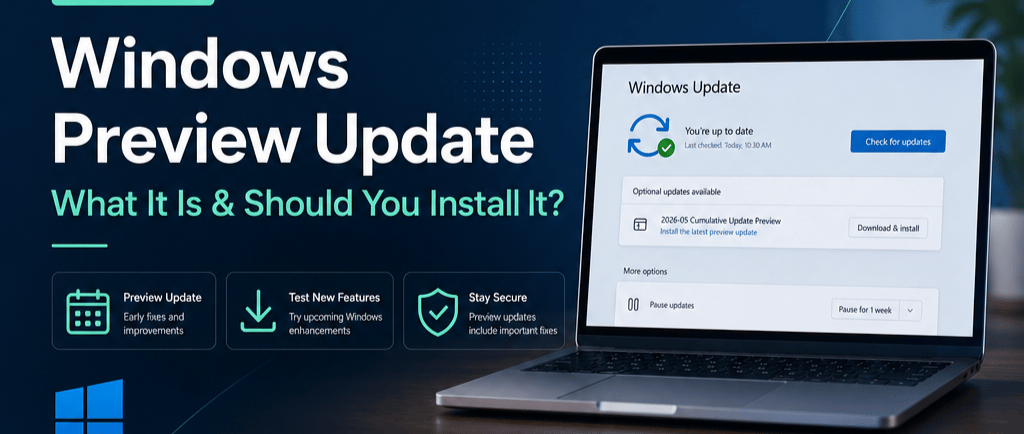
What Is a Windows “Preview Update”? A Simple, Clear Explanation for LP Tech Clients
If you’ve ever checked Windows Update and noticed something labeled “Preview Update”, you might wonder what makes it different from the regular updates that install automatically. As your trusted IT partner, LP Technology Solutions is here to break it down in a way that’s both technical and easy to understand.
The Short Version
A Preview Update is an optional, early-release Windows update that includes upcoming fixes and improvements. It’s safe to install, but not required, and most users can simply wait for the regular monthly update.
Why Windows Has Preview Updates
Microsoft releases updates in two main categories:
1. Regular Updates (Patch Tuesday)
These arrive on the second Tuesday of each month and include:
Security patches
Stability improvements
Fully tested fixes
Automatic installation for most users
These are the updates that keep your computer secure and running smoothly.
2. Preview Updates (Optional Updates)
These typically arrive later in the month and include:
Early access to non‑security fixes
Performance improvements
Feature refinements
Updates Microsoft wants tested before broad release
Preview Updates do not include critical security patches. They’re essentially a “sneak peek” at next month’s improvements.
Should You Install a Preview Update?
For most users, the answer is simple:
You don’t need to.
Preview Updates are optional, and everything inside them will be included in the next regular monthly update.
However, there are situations where installing one can be helpful:
You’re experiencing a known Windows issue that the Preview Update specifically fixes
You want the latest performance improvements right away
You’re an advanced user or IT professional testing upcoming changes
At LP Tech, we typically recommend waiting for the regular update unless there’s a specific reason to install the preview.
Are Preview Updates Safe?
Yes — they’re official Microsoft updates. But because they’re released earlier in the testing cycle, there’s a slightly higher chance of minor bugs or unexpected behavior. That’s why they’re optional.
Where Preview Updates Show Up
You’ll find them under:
Settings → Windows Update → Optional updates → Preview / Cumulative Preview
They never install automatically unless you choose them.
LP Tech’s Recommendation
For everyday users and business environments, we suggest:
Skip Preview Updates unless you’re troubleshooting a specific issue
Install regular monthly updates as soon as they’re available
Let LP Tech manage updates if you’re part of our Managed IT Support plans
Our team monitors Microsoft’s update releases and ensures your systems stay secure, stable, and optimized.
Need Help or Have Questions?
If you’re unsure whether a Preview Update is right for your device, LP Technology Solutions is here to help. Reach out anytime — we’ll guide you based on your system, your needs, and your environment.